All projects
Figma plugin
Design systems
2026
Acquire Color: turn any image into a colour system.
A Figma plugin that extracts colours from any image and turns them into ready-to-use design tokens (shade scales and accessible semantic roles) exported as Variables, Styles or a canvas board.
Project
Figma plugin
My role
Product Designer: UX, UI & handoff
Timeline
2026
Tools
Figma · Plugin API

4 steps
Source → Colors → System → Export
Material 3
Semantic tokens mapped to M3 roles
WCAG 2.1
Auto-tuned contrast in one click
Overview
Designers often start a palette from a photo or moodboard. Acquire Color does the slow part: it extracts the colours, builds full shade scales, assigns accessible semantic roles and creates the Variables or Styles, in four calm steps, without leaving Figma.
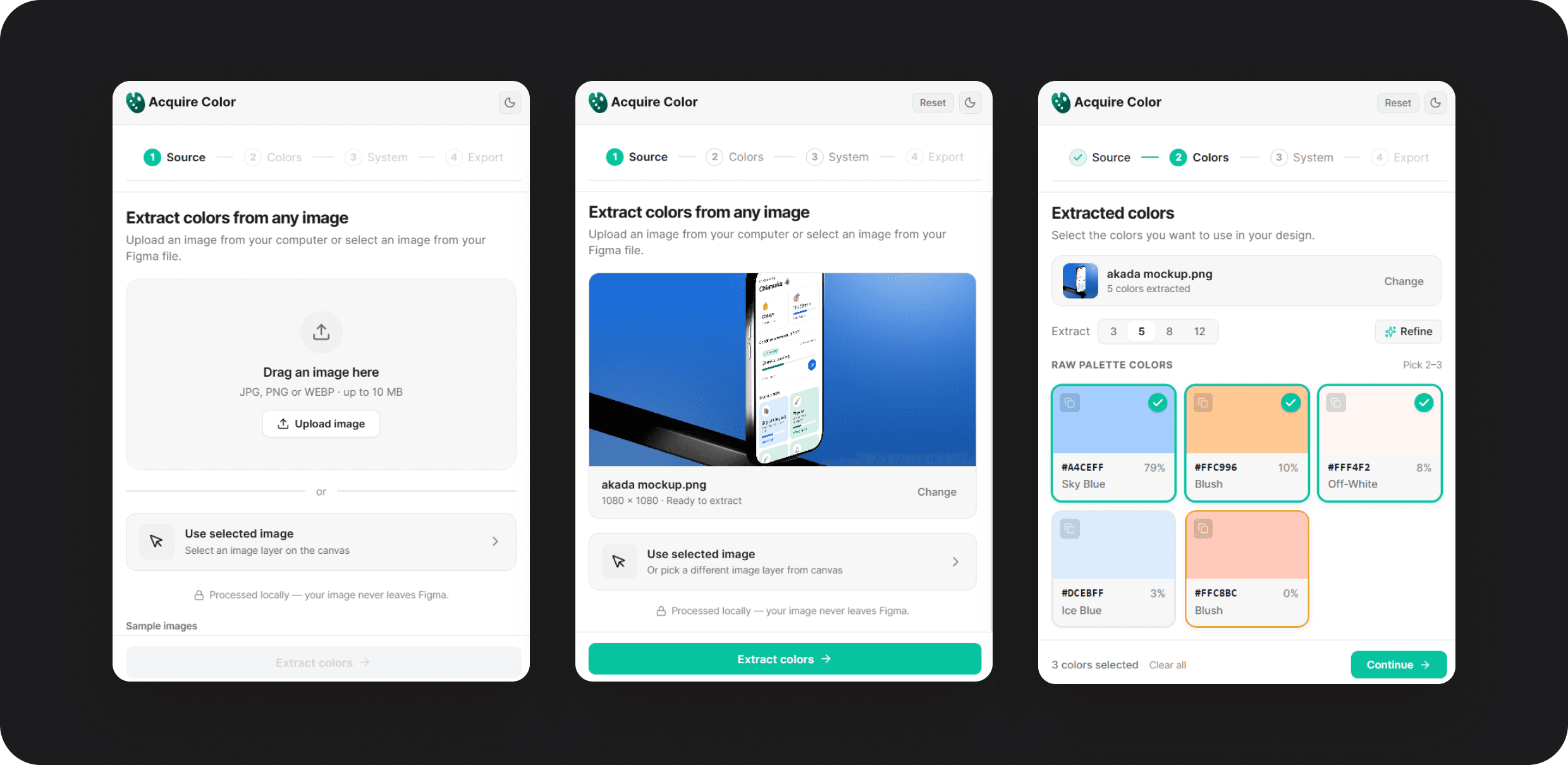
The problem
Manual eyedropping: Picking colours from an image is slow and inconsistent.
Scales by hand: Building 9–11 shades per colour and naming them takes hours.
Contrast found late: Accessibility issues surface after screens are designed.
Tedious setup: Dozens of variables and styles created one by one.
Design decisions
Calm in a small panel
A four-step stepper
The decision: Source → Colors → System → Export; completed steps are clickable, upcoming ones locked.
Why it matters: A complex job stays focused inside a 400px panel.
Start where you are
Source from file or canvas
The decision: Upload or drag in an image, or use a selected image layer, processed locally.
Why it matters: Works with existing moodboards and reassures privacy-conscious teams.
Curate, don’t dump
A named, ranked palette
The decision: 5, 8 or 12 colours sorted by coverage with names like Blush Sand; Refine merges near-duplicates; pick 2–3.
Why it matters: A focused palette is a usable palette.
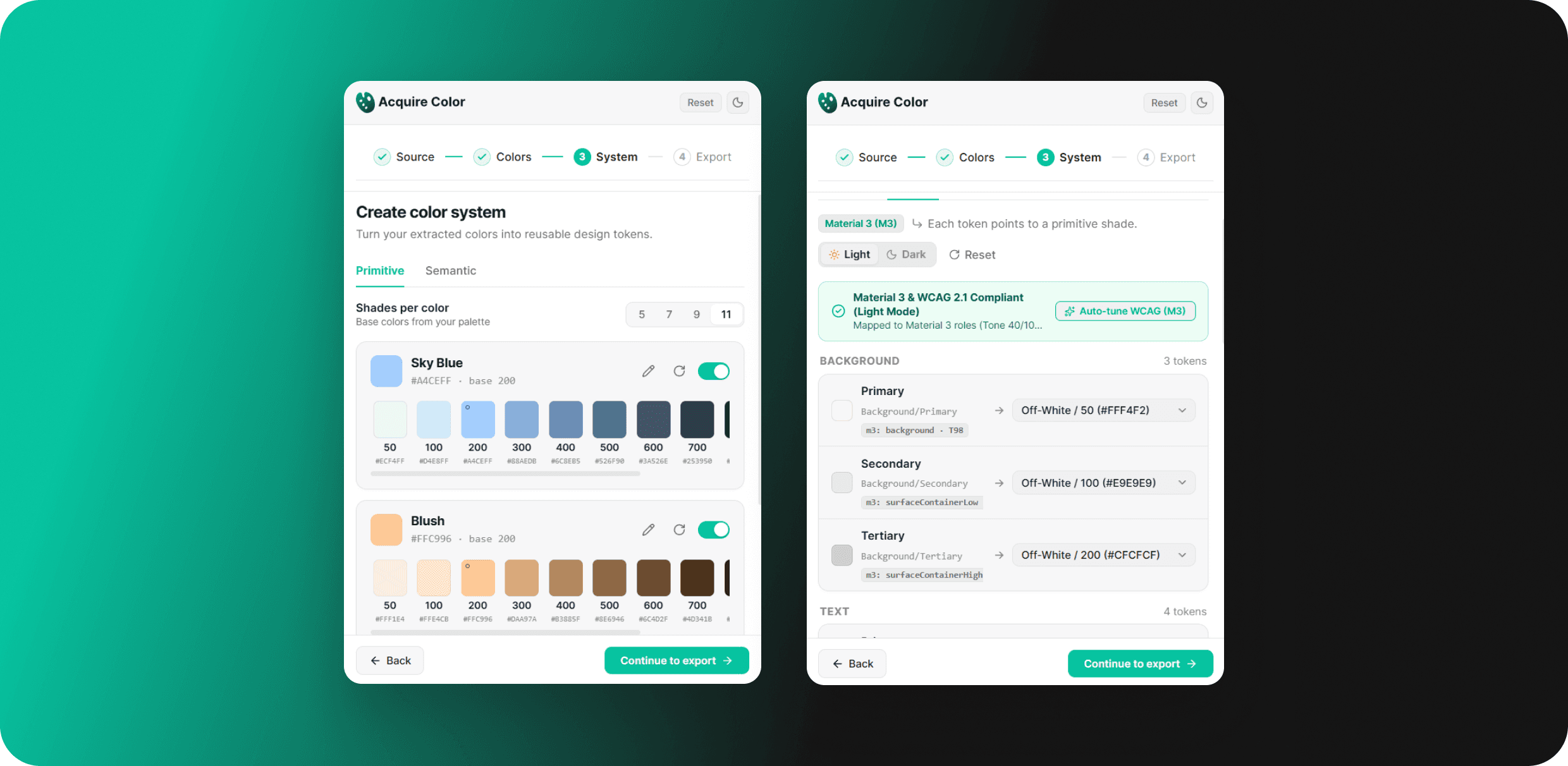
Keep the image’s colour
Primitives built around the source
The decision: 5–11 shade scales keep the extracted hex at its closest step, plus an auto warm-grey neutral.
Why it matters: The system feels like the image, not a generic ramp.
Accessible by default
Semantic tokens with live contrast
The decision: Tokens alias primitives and map to Material 3 roles, with WCAG 2.1 badges and an Auto-tune button that fixes failing contrast.
Why it matters: Contrast is checked while choosing, not after.
Export where you work
Variables, Styles or canvas
The decision: Aliased Variables with correct scopes, colour styles or a documented board, with live counts and a success screen.
Why it matters: Tokens land ready to use in any workflow.
Export
One click creates 52 variables (primitives plus aliased semantic tokens), 52 colour styles, or a documented board on the canvas. The success screen shows exactly what was created.
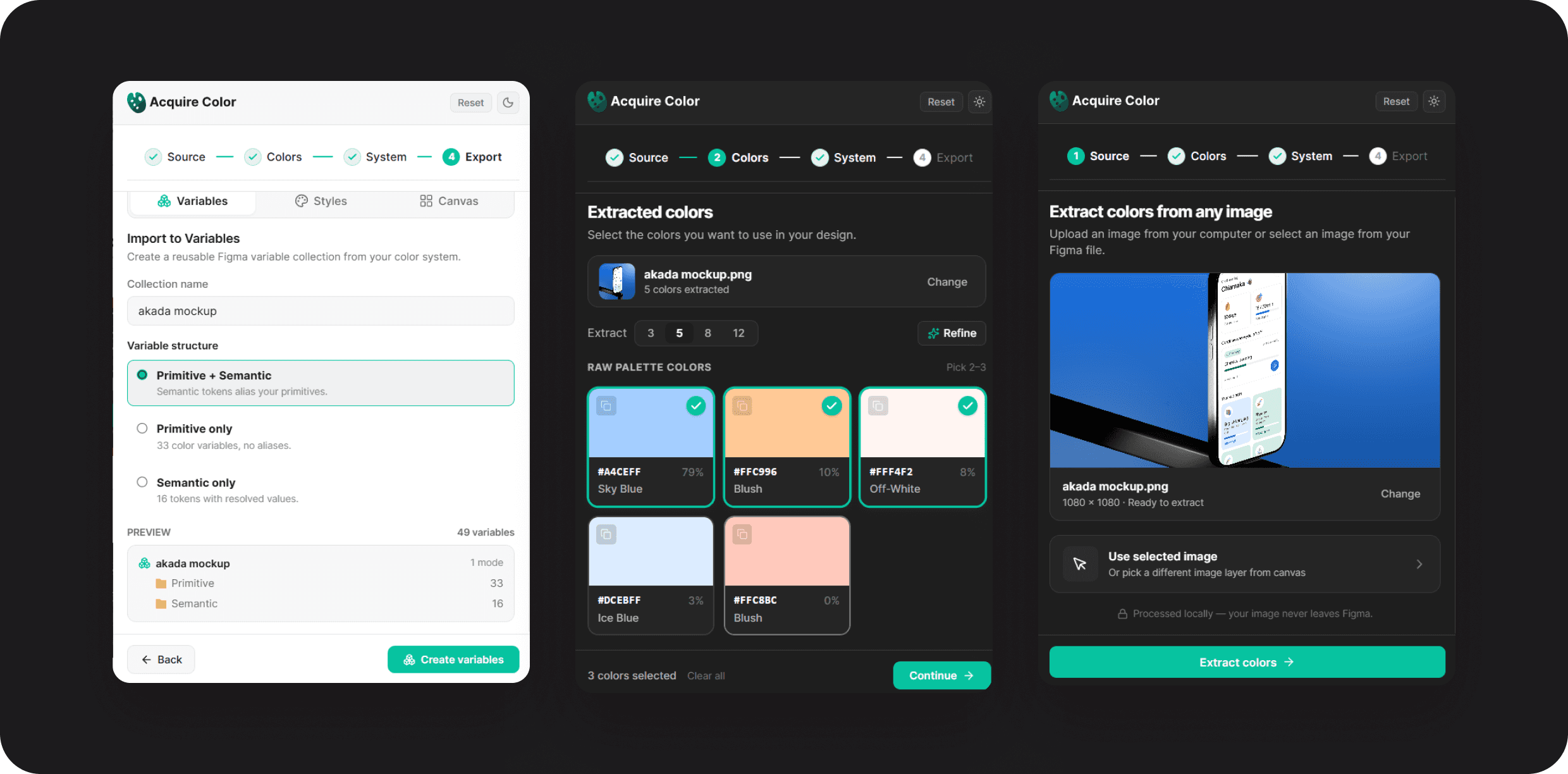
Built & shipped
The working plugin runs in light and dark, with a theme toggle in the header, and semantic sets for both modes.

Developer handoff
Local k-means / median-cut extraction on a ≤ 512px downsample
Smart refine with ΔE thresholds for keeping and merging colours
Variables API: primitives as COLOR, semantic tokens as aliases with scopes
Implementation notes on every screen
Impact
4: steps from image to tokens
16: semantic roles mapped to M3
1 click: to WCAG 2.1 compliance
3: export destinations
What took hours of eyedropping, naming and manual setup now takes a few clicks, an accessible colour system lands straight in Figma Variables or Styles.
What I learned
Constraints sharpen UX: A 400px panel forced one clear decision per screen.
Design for the builder too: Notes on every screen made the handoff faster.
“Processed locally, your image never leaves Figma.”
Acquire Color source screen